

Adobe InDesign 2026 for Windows – Professional Design Software
Original price was: ₹7,999.00.₹399.00Current price is: ₹399.00.
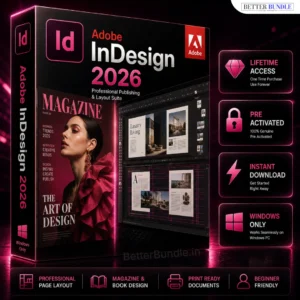
Create professional brochures, magazines, ebooks, catalogs, posters, reports, and other print or digital layouts with Adobe InDesign 2026 for Windows.
✔ Professional Page Layout & Publishing Tools
✔ Advanced Typography & Text Formatting
✔ Create Magazines, Brochures & Ebooks
✔ Professional Layout & Design Controls
✔ Instant Access
✔ Easy Setup & Installation
✔ Instant Digital Delivery
✔ 100% Secure & Trusted Purchase
✔ Works on Windows 10 & 11
✔ Full Installation Support
📞 Need help or facing any issue? Our support team is available on WhatsApp: +91 6394927894 for quick and reliable assistance.
Adobe InDesign 2026 for Windows – Professional Design & Layout Software
Adobe InDesign 2026 for Windows is a professional page layout and publishing software designed for creators, designers, marketers, publishers, freelancers, and businesses. It provides powerful tools for creating brochures, magazines, ebooks, catalogs, flyers, reports, presentations, and other print or digital publications with precise layouts and professional typography.
Whether you are working on a small design project or a large publication, InDesign software helps you organize text, images, graphics, and page elements into polished layouts. Its flexible design workflow makes it suitable for both creative professionals and users who want greater control over their publishing projects.
Professional Layout and Publishing Tools
Adobe InDesign provides detailed control over page layouts, text, images, margins, spacing, columns, and other design elements. You can create clean and structured documents while maintaining consistency across multiple pages.
It is especially useful for projects where typography and page organization are important. From business brochures and product catalogs to magazines and ebooks, you can build professional layouts according to your project requirements.
Advanced Typography and Design Features
Typography plays an important role in professional publishing, and InDesign gives you extensive controls for formatting and arranging text. You can work with different fonts, paragraph settings, character formatting, columns, spacing, and alignment to create visually balanced documents.
The software also makes it easier to combine text with photographs, illustrations, logos, and other graphical elements. This gives designers greater flexibility when creating complex InDesign layouts for both print and digital projects.
For users who also need advanced image editing, Adobe Photoshop Download for PC can complement an InDesign workflow by providing tools for photo retouching, image manipulation, and creative compositions. Similarly, Adobe Illustrator for Windows is useful when your project requires vector graphics, logos, icons, or illustrations.
Create Magazines, Brochures, Ebooks and More
With Adobe InDesign for Windows, you can create a wide range of professional publications. Designers can use it for magazines, newspapers, brochures, flyers, annual reports, portfolios, catalogs, ebooks, and marketing materials.
You can arrange multiple pages, maintain consistent formatting, and create layouts that look professional across an entire document. This makes the software a valuable choice for businesses, agencies, publishers, students, and freelance designers.
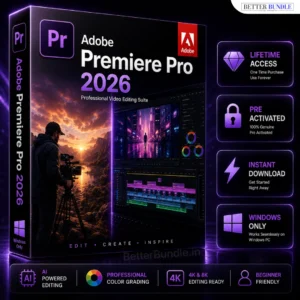
If your creative work also includes video production, Adobe Premiere Pro for PC can be used alongside InDesign for editing promotional videos, social media content, presentations, and other video projects.
Why Choose Adobe InDesign 2026?
Choosing the right design software can make complex publishing projects easier to manage. InDesign combines professional page-layout tools with typography, document organization, and creative design capabilities in one desktop application.
It is a practical option for users who need more control than basic document editors provide. The structured workflow can also help save time when working on multi-page projects that require consistent formatting and professional presentation.
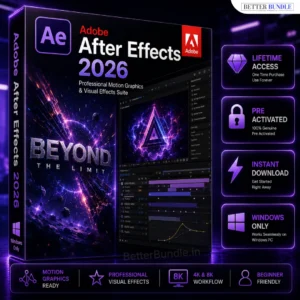
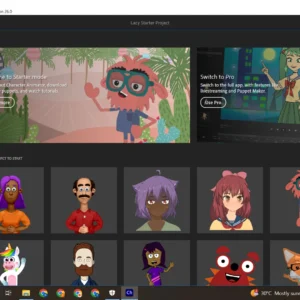
For users who work across different creative areas, Adobe Character Animator can further expand your toolkit when creating animated characters and visual content.
How It Works
Getting started with the product is simple:
- Place Your Order – Purchase Adobe InDesign 2026 for Windows from Better Bundle.
- Receive Product Information – After successful payment, the available digital delivery details and setup instructions are provided.
- Download and Install – Follow the supplied instructions to install the compatible software on your Windows PC.
- Start Your Project – Open InDesign and begin creating layouts, publications, brochures, ebooks, or other design projects.
- Get Support – If you need help with the setup process, contact the available customer support team.
ystem Requirements
Before installing Adobe InDesign 2026 for Windows, make sure your PC meets the following requirements for a smooth design and publishing workflow.
Minimum Requirements
- Operating System: Windows 10 (64-bit) or later
- Processor: Intel or AMD multi-core processor with 64-bit support
- RAM: 8 GB
- Storage: At least 5 GB of available hard-disk space
- Graphics: DirectX 12 compatible graphics card
- Display: 1024 × 768 resolution or higher
- Internet: Internet connection required for software activation and certain online features
Recommended Requirements
- Operating System: Windows 11 (64-bit)
- Processor: Intel Core i5 / AMD Ryzen 5 or better
- RAM: 16 GB or more
- Storage: SSD with 10 GB+ available space
- Graphics: Dedicated DirectX 12 compatible GPU with 2 GB+ VRAM
- Display: 1920 × 1080 resolution or higher
- Internet: Stable high-speed internet connection
Performance Tip
For large InDesign projects, multi-page documents, high-resolution images, and complex layouts, a 16 GB or higher RAM configuration with an SSD is recommended for a smoother workflow.
Frequently Asked Questions
What is Adobe InDesign used for?
Adobe InDesign is primarily used for professional page layout and publishing. It can be used to create brochures, magazines, ebooks, catalogs, reports, flyers, and other multi-page documents.
Is Adobe InDesign available for Windows?
Yes. This product is intended for compatible Windows PCs. Check the system requirements before installation to confirm compatibility with your computer.
Can InDesign create ebooks?
Yes. InDesign can be used as part of an ebook publishing workflow and is suitable for creating structured digital publications.
Is InDesign suitable for beginners?
Yes. Beginners can start with basic layouts and typography tools and gradually learn more advanced features as they gain experience.
What is an INDD file?
INDD is the native document file format associated with Adobe InDesign. It is commonly used to save and continue editing InDesign projects.
Can I use InDesign with Photoshop and Illustrator?
Yes. InDesign can be part of a broader Adobe creative workflow, allowing designers to combine layouts with edited photographs, illustrations, logos, and other creative assets.
Get Adobe InDesign 2026 for Windows
If you need professional software for creating structured layouts, publications, marketing materials, and multi-page designs, Adobe InDesign 2026 for Windows provides a powerful desktop publishing workflow. With advanced typography, layout controls, page management, and creative design tools, it can help you turn your ideas into polished professional documents.


Mahira Ali –
Amazing performance on Windows. Designing work ab kaafi easy aur fast ho gaya.
Rishabh Arora –
Professional documents create karne ke liye best tool. Worth buying.
Areeba Noor –
User-friendly software with powerful publishing features. Loved it!
Yashvardhan Singh –
Excellent experience. Layout creation aur exporting dono fast hain.
Inaya Khan –
Magazine designing ke liye perfect choice. Text formatting options are excellent.
Advik Sharma –
Professional designers ke liye must-have software. Smooth and reliable performance.
Emaan Raza –
Software ka interface easy hai aur advanced tools bhi available hain.
Shaurya Mehta –
Print-ready files banana bahut simple ho gaya. Great value for money.
Myra Joshi –
InDesign ne meri designing speed improve kar di. Features are really helpful.
Rayyan Ahmed –
Excellent publishing software. Multi-page documents handle karna easy hai.
Alina Sheikh –
Brochure aur newsletter designing ke liye amazing experience. Highly recommended.
Devansh Tiwari –
Installation quick tha aur software performance kaafi smooth hai.
Kavisha Nair –
Client projects ke liye use kar rahi hoon. Professional results mil rahe hain.
Arham Siddiqui –
Great software for eBooks and print designs. Windows PC par perfectly run kar raha hai.
Meher Kapoor –
Layout designing ka workflow fast ho gaya. Typography tools are amazing.
Reyansh Bhatia –
Professional publishing ke liye perfect tool. All features smoothly work kar rahe hain.
Hiba Qureshi –
Bohat useful software hai. Flyers aur catalogs banana ab bahut easy ho gaya.
Vihaan Malhotra –
Book layouts aur PDF projects ke liye best software hai. Performance bhi excellent hai.